Know who owns it.
Review owner names and mailing information. See the reported owner-occupancy indicator to understand whether the owner lives at the property.
Explore property records →Your Meta Ray-Ban Display glasses. Your SCOUTRE property intelligence. Scan a house and bring ownership, estimated equity and available owner contacts into your lens.
SCOUTRE is an independent app. It is not affiliated with, endorsed by, or sponsored by Meta or Ray-Ban.
Early access · SCOUTRE subscription · Meta Ray-Ban Display + iPhone
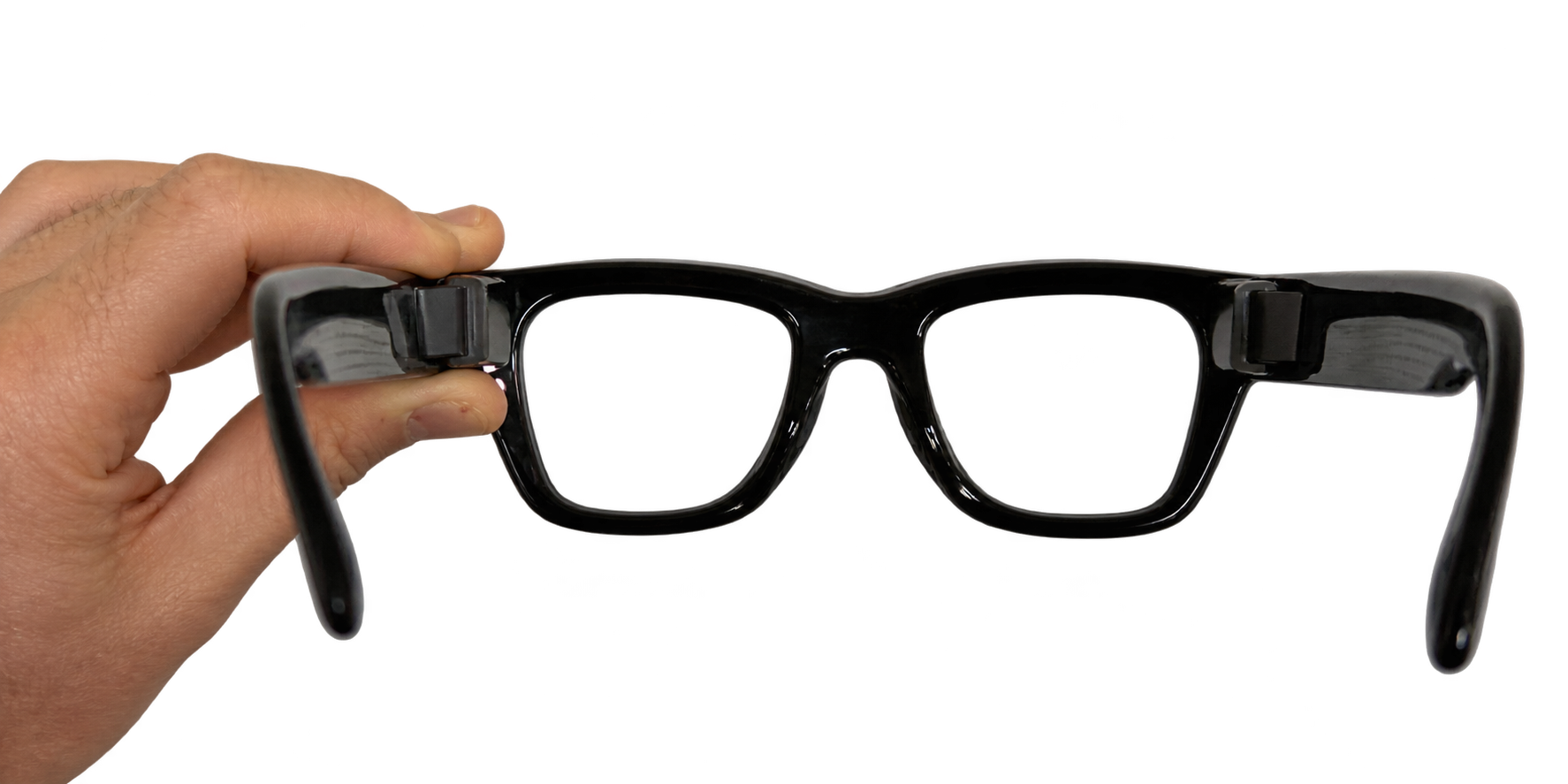
The glasses provide the camera and in-lens screen.
SCOUTRE provides the property research.
Display-equipped model required · connected iPhone · early access
FROM SPRINGFIELD TO YOUR NEXT PROPERTY
In “Specs and the City,” The Simpsons put smart glasses on Homer. It felt like science fiction.
SCOUTRE brings its own real estate twist: look at a house, scan its visible number, confirm the address, and explore the property record through your glasses.
See how X-ray worksTHE PRODUCT AT A GLANCE
SCOUTRE X-ray is an early-access property research feature in the SCOUTRE iPhone app for Meta Ray-Ban Display smart glasses. Scan a visible house number, confirm the address, and review available property records, ownership, estimated equity, occupancy indicators, property signals and owner contacts in the glasses’ in-lens screen.
Updated · SCOUTRE by Lion Adv, Inc.
ONE PROPERTY. A NEW PERSPECTIVE.
The camera reads the visible house number. Your location supplies street context. You confirm the address. SCOUTRE brings back the record.
Stand where the house number is readable. Select Scan with your glasses controls.
Check the suggested address in your lens. If the number is unclear, rescan.
Browse ownership, estimated value and equity, occupancy indicators, and reported signals.
Look up available contacts, select Call, confirm on iPhone, or save the property to your CRM.
THERE’S MORE TO A HOUSE THAN THE FRONT DOOR.
Review owner names and mailing information. See the reported owner-occupancy indicator to understand whether the owner lives at the property.
Explore property records →View estimated property value, estimated equity and available mortgage details alongside the property’s physical characteristics.
Understand comparable properties →Review reported indicators such as high equity, vacancy or absentee ownership. Use the context to guide your next question; a signal does not establish willingness to sell.
Explore property signals →Run owner contact lookup for available phone numbers and emails. Keep your research and next action connected to the same property.
See how owner contact lookup works →STILL AT THE CURB.
You spotted a property worth a closer look. Now you have its ownership details and an available phone number in the same workflow.
Select Call in the glasses report. Confirm dialing on your iPhone. Start the conversation while the property is right in front of you.
Save the property to SCOUTRE CRM so the opportunity stays with you after you leave the street.
Explore the driving for dollars workflow →SET UP ONCE. LOOK UP.
The X-ray experience is in early access on iPhone. Use Meta Ray-Ban Display with an in-lens screen and an active SCOUTRE subscription.
Already subscribed? Sign in with your SCOUTRE account. For early-access enrollment, contact support.
Connect Meta Ray-Ban Display to your iPhone using the Meta AI app.
In SCOUTRE, open Settings → Connected devices → Meta Ray-Ban Display. Connect and authorize through Meta AI.
Allow camera and precise location access. Keep your connected iPhone nearby and use your glasses to scan and confirm properties.
BEFORE YOU PUT THEM ON
Smart glasses for real estate investors, wholesalers and agents who research properties in the field.
X-ray is SCOUTRE’s early-access property research experience for Meta Ray-Ban Display. Scan a visible house number, confirm the address, and browse property details, estimated equity, ownership information, property signals and available owner contacts in the lens.
SCOUTRE is an independent app. It is not affiliated with, endorsed by, or sponsored by Meta or Ray-Ban. X-ray connects SCOUTRE property research to compatible Meta Ray-Ban Display hardware. The hardware and SCOUTRE subscription are separate.
This experience requires Meta Ray-Ban Display, which has an in-lens screen, plus a connected iPhone running SCOUTRE. Standard Ray-Ban Meta camera-and-audio glasses do not support this display-controlled workflow.
Pair your Meta Ray-Ban Display glasses with your iPhone in the Meta AI app. Open SCOUTRE, go to Settings → Connected devices → Meta Ray-Ban Display, and authorize SCOUTRE through Meta AI. Start a scouting session, then use the glasses controls to scan and confirm a property. Early-access enrollment may be required.
Yes. When an owner phone number is available, select Call from the property’s contact report. SCOUTRE hands the call to your iPhone, where iOS requires your confirmation before dialing. Call audio follows your iPhone’s selected audio device.
The picture helps read the visible house number; location provides nearby street context. After you confirm the address, SCOUTRE looks up the property record. Estimated equity, occupancy indicators and available contact information come from property and contact data, not from an AI guess about the photo.
Yes. Property lookups require an active SCOUTRE subscription. Owner contact lookup and mortgage data follow your plan limits. You also need Meta Ray-Ban Display, a connected iPhone, internet access, and camera and location permissions. Check early-access availability with support before buying hardware for this feature.
The Simpsons episode “Specs and the City” aired January 26, 2014 and featured fictional smart glasses. SCOUTRE’s demo plays on that pop-culture comparison to introduce property research through glasses. The episode did not feature SCOUTRE or predict this specific product.
SCOUTRE X-RAY · META RAY-BAN DISPLAY
Explore Property in Front on iPhone or SCOUTRE for real estate investors.
SCOUTRE is an independent app. It is not affiliated with, endorsed by, or sponsored by Meta or Ray-Ban. Meta and Ray-Ban names identify compatible hardware. The Simpsons reference is a pop-culture comparison; no affiliation or endorsement is implied.