FORECLOSURES & AUCTIONS · ALL 50 STATES
Your next deal could be one search away.
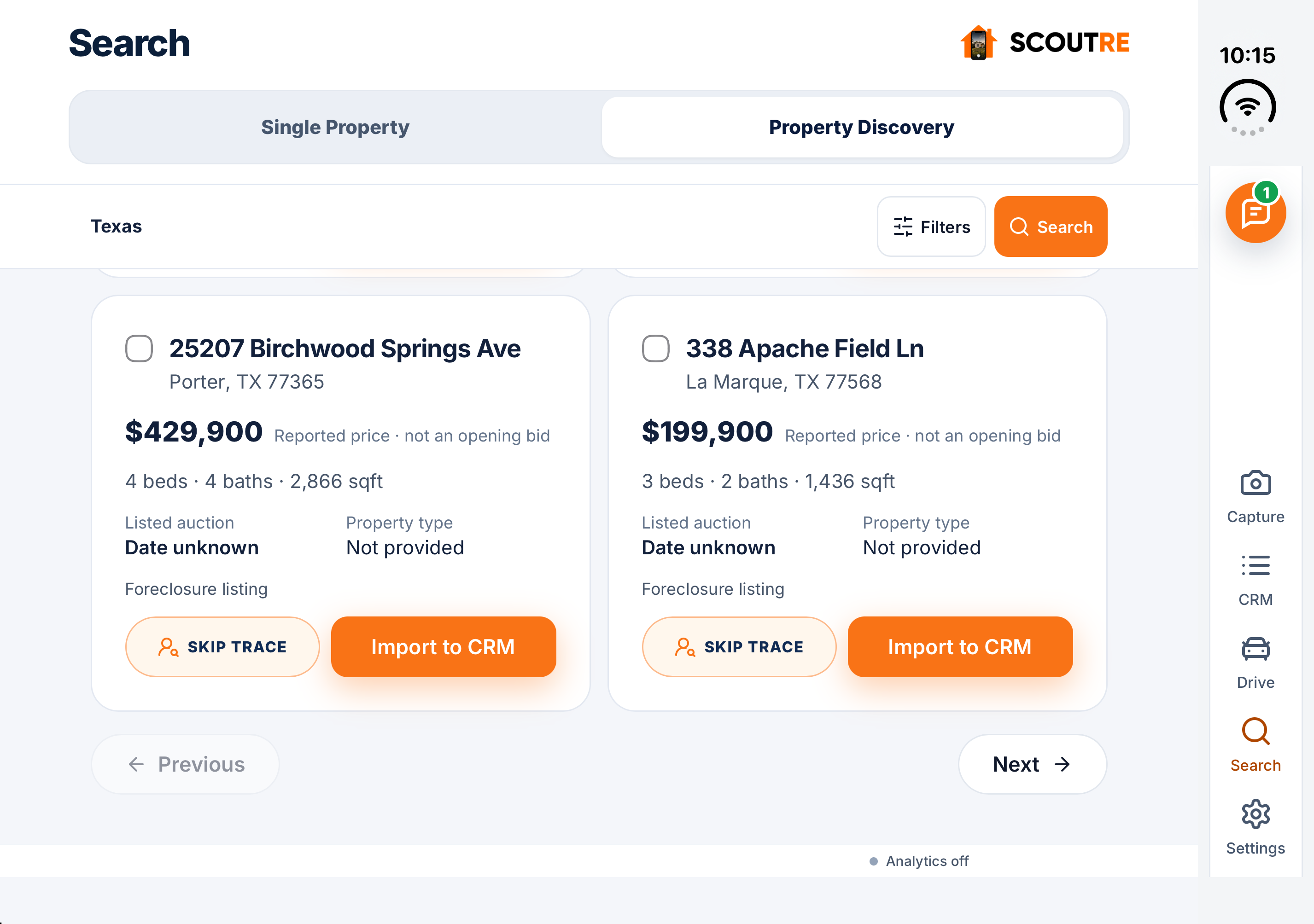
Explore foreclosure and auction listings across all 50 states. Narrow your search by location and price, then review the properties that fit your next move.
Property-type filters apply where type data is available. Listing coverage varies by location.
FROM DISCOVERY TO YOUR NEXT CONVERSATION
Find the property.
Find the owner.
Make your move.
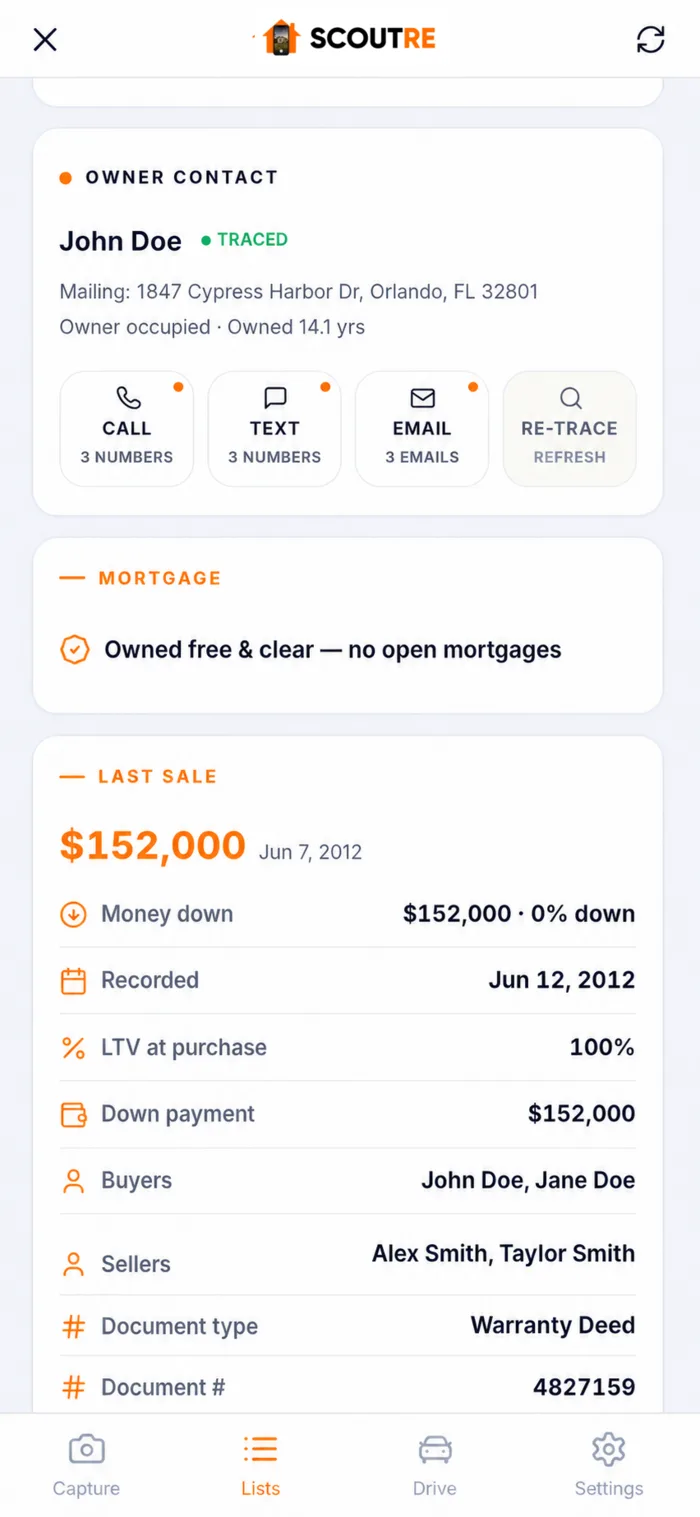
A promising property is just the start. Look up available owner phone numbers and emails, save one property or import selected listings in bulk, then keep every next step in SCOUTRE.
- 01SearchFind properties that fit.
- 02SkipTraceLook up available owner contacts.
- 03Save to CRMImport individually or in bulk.
- 04Follow upKeep conversations moving.
KEEP OPPORTUNITIES ORGANIZED
Turn discoveries into your next follow-up.
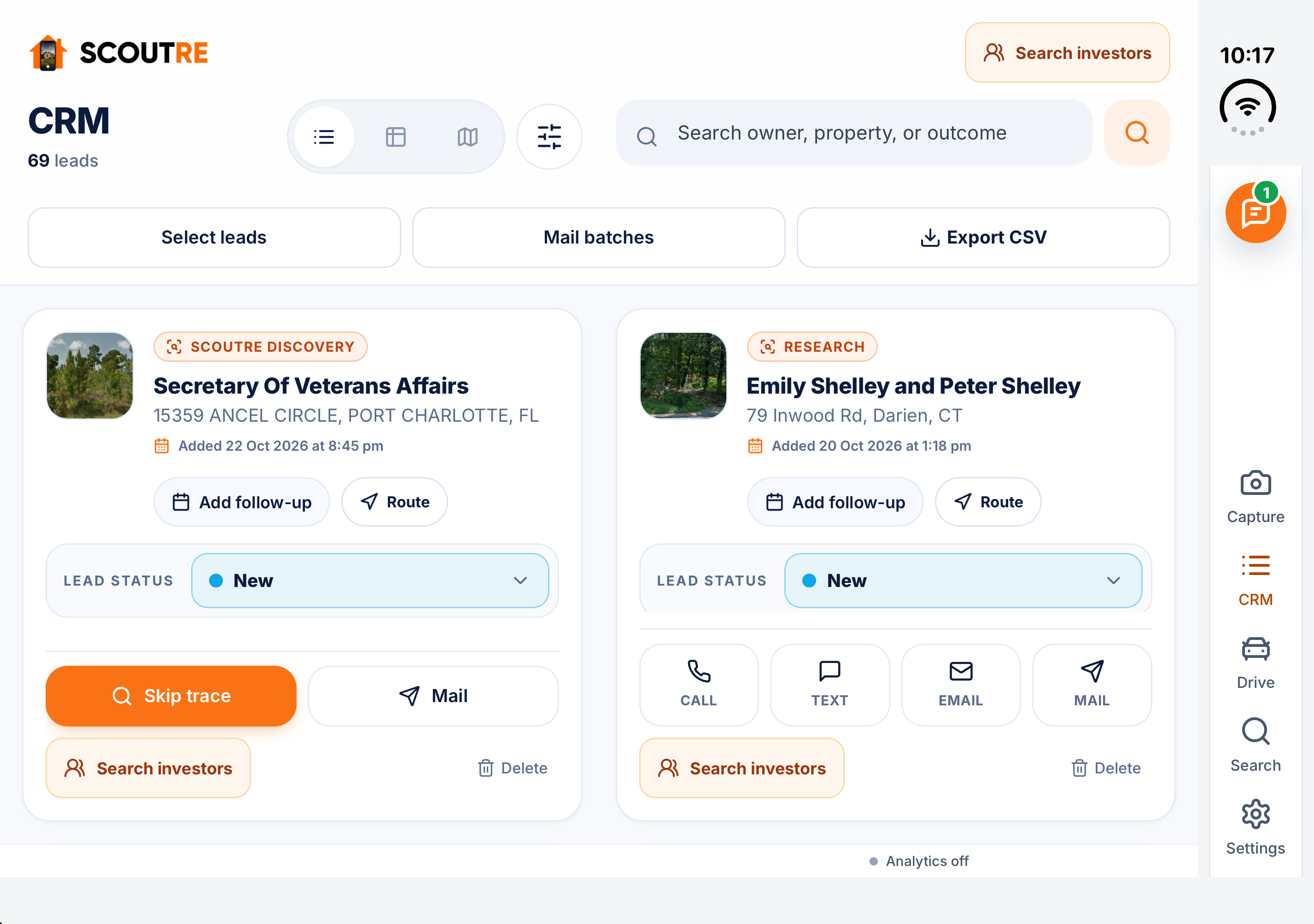
Give each lead a status. Keep property details, owner contact actions, and reminders together. Import one property or selected listings in bulk so the opportunity stays with you after the search.
- See where every lead stands.
- Call, text, email, or send mail from its record.
- Set the next follow-up while the conversation is fresh.
FRESH OPPORTUNITIES TO REVISIT
Make your next search count.
Return to explore updated foreclosure and auction listings, revisit saved properties, and keep your next follow-up in view.
Listings are updated as new captures are added. A fixed refresh schedule is not currently published. Confirm listing details and availability before acting.
BEFORE YOUR NEXT SEARCH
A clearer next move.
Can I explore foreclosure and auction listings across the U.S.?
Can I save foreclosure listings and contact owners?
Does SCOUTRE support iPhone Duo?
How often are foreclosure and auction listings refreshed?
RESEARCH. CONNECT. FOLLOW THROUGH.
Find the opportunity.
Keep the next step.
SCOUT WITH YOUR EYES. KEEP IT IN SCOUTRE.
See a property worth pursuing? Capture it.
Use Property in Front to identify the property nearby, or select it on the map. Confirm its details, add property photos, and keep field notes and voice notes with the opportunity.
See SCOUTRE in Action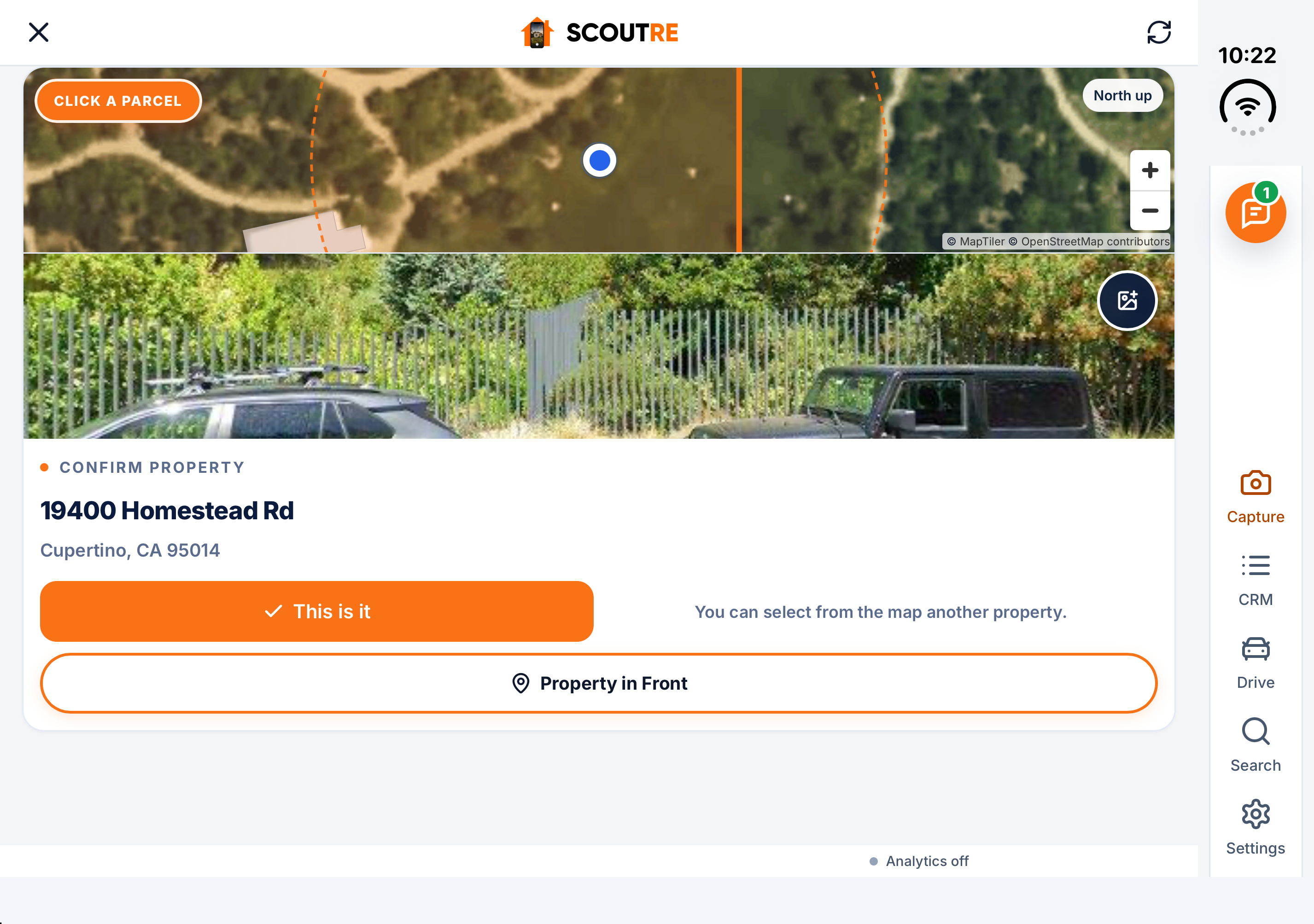
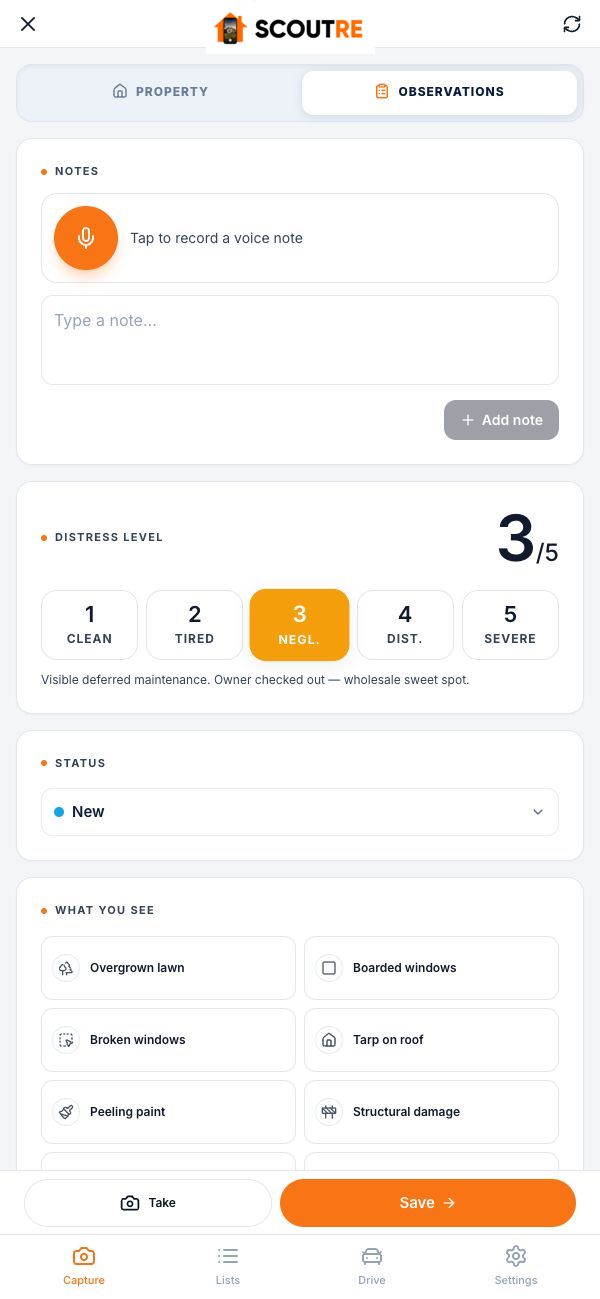
KEEP WHAT YOU NOTICED
Photos. A quick note.
Your voice, while it’s fresh.
Remember the boarded window, the conversation, or the reason you stopped. Capture your observations before you move on, then return to the property with that context ready.
IPHONE · IPHONE DUO · APPLE WATCH · WEB
More screen.
More room to work.
SCOUTRE adapts when you unfold your iPhone Duo, giving you more room to review properties, manage leads, and capture observations.
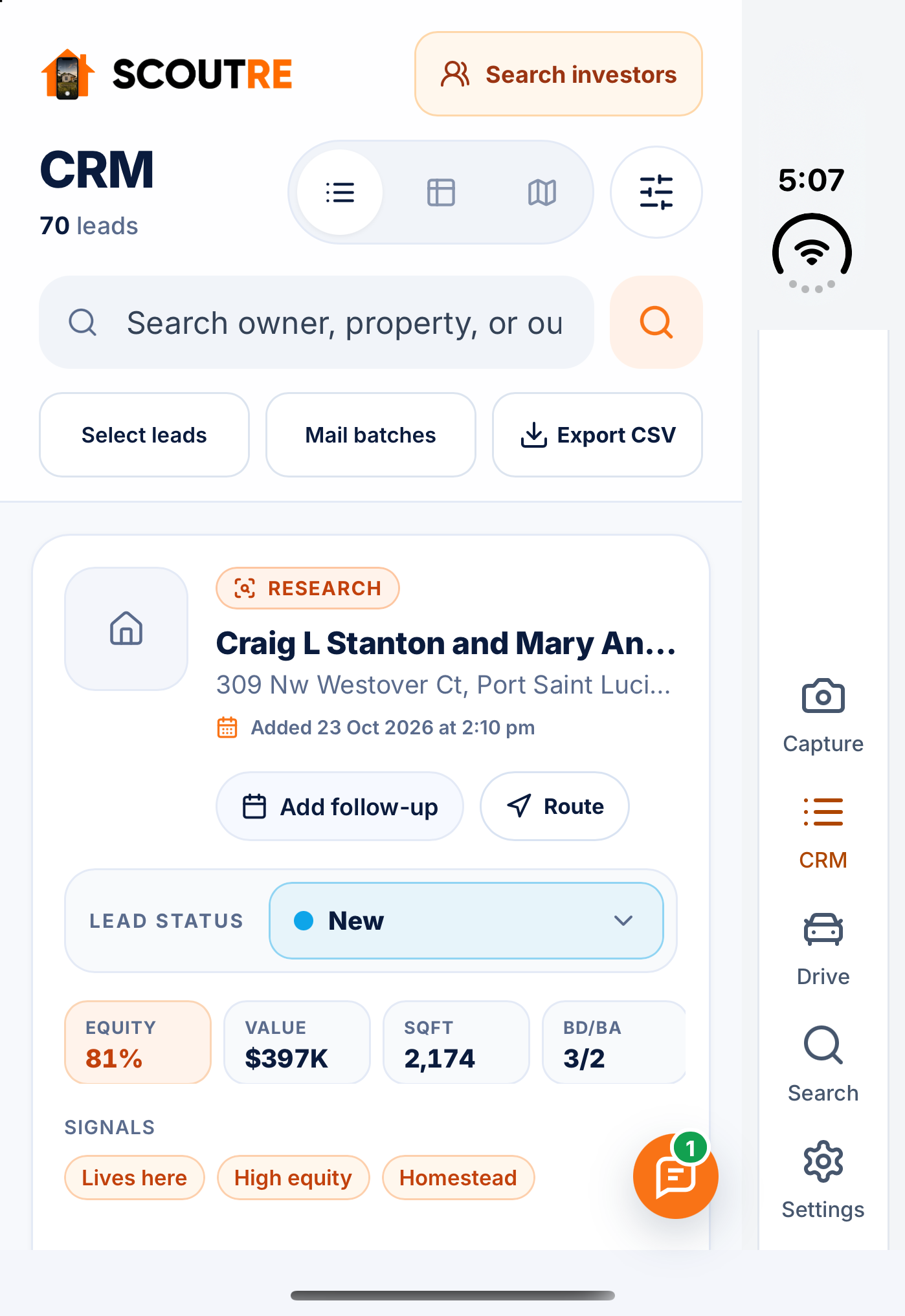
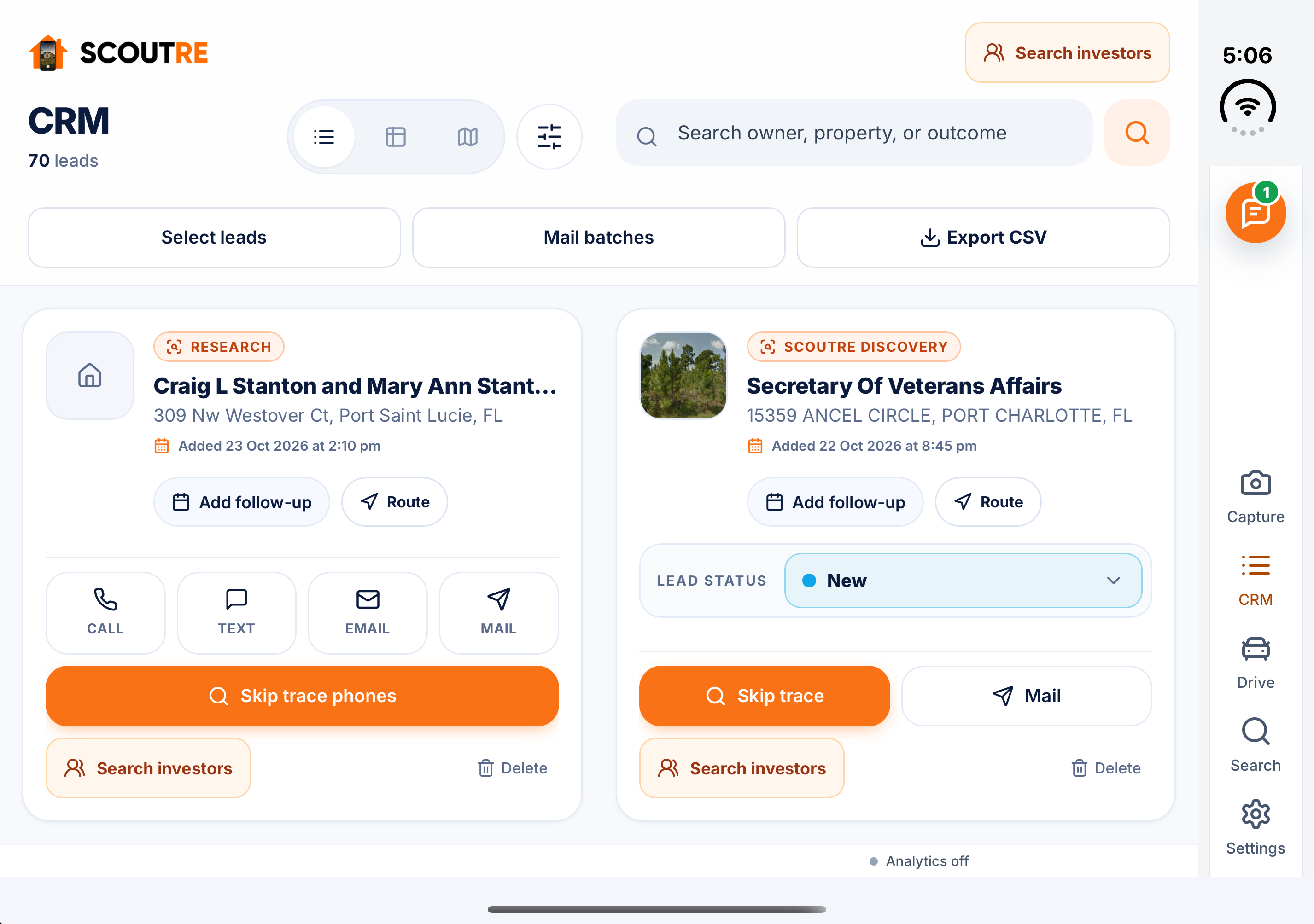
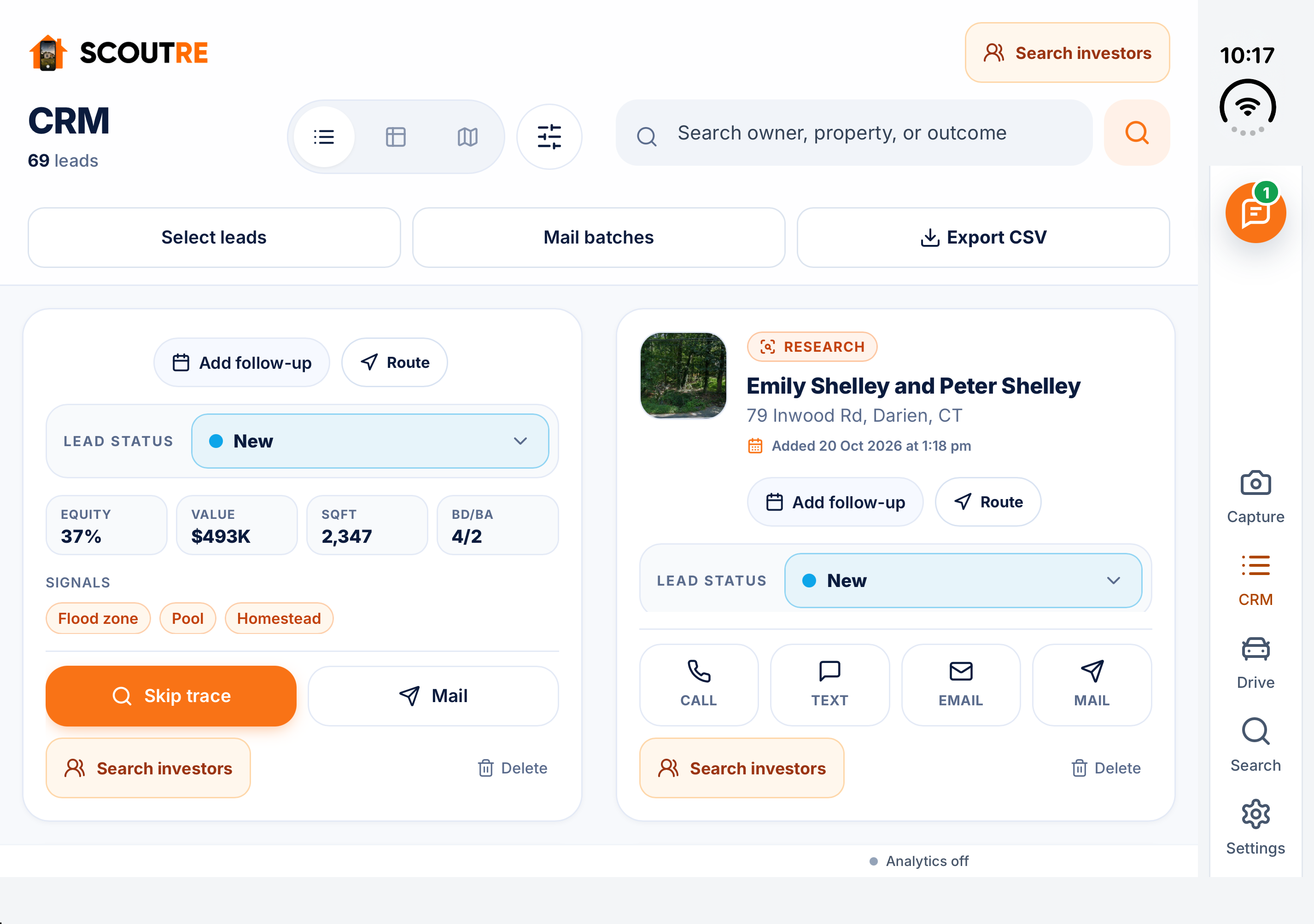
Real SCOUTRE screens captured in the iPhone Duo simulator.
See SCOUTRE in Action